Overlays and any related components nested deep in components is not ideal from semantical and a “clean HTML structure” perspective
Move the component to an actual DOM element
// index.html, add next to the #root element
<div id="backdrop-toot"></div>
<div id="overlay-root"></div>

// Modal.js component
ReactDOM.createPortal(
        <ModalOverlay
          title={props.title}
          message={props.message}
          onConfirm={props.onConfirm}
        />,
        document.getElementById("overlay-root")
      )
Refs
Need only to read the value instead of modifying the value
Steps to implement
Initial a ref with useRef()
Connect the returned value to the HTML node with ref ={returned_value}
It has a current property which holds the actual HTML DOM node the ref is connected with
Controlled vs Uncontrolled Components
Controlled components
Connected with State, whose value is controlled by React
Uncontrolled components
Connected with Ref, value controlled by DOM element
Section 10: Effects, Reducers & Context API (!!!)
“Effect” / “Side Effect”
Main job of React – Render UI & React to User Input
Evaluate & Render JSX
Manage State & Props
React to Events & Input
Re-evaluate Component up State & Props Changes
Side Effect – must happen outside of the normal component evaluation and render cycle
Store Data in Browser Storage
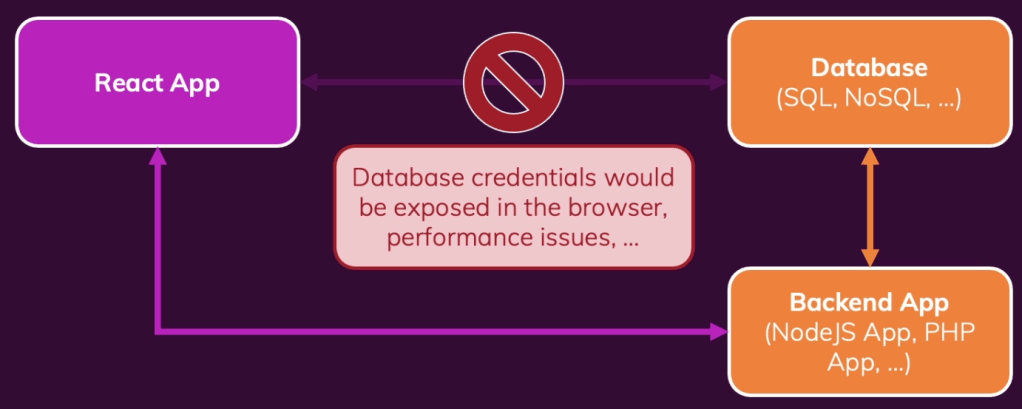
Send Http Requests to Backend Servers
Set & Manage Timers
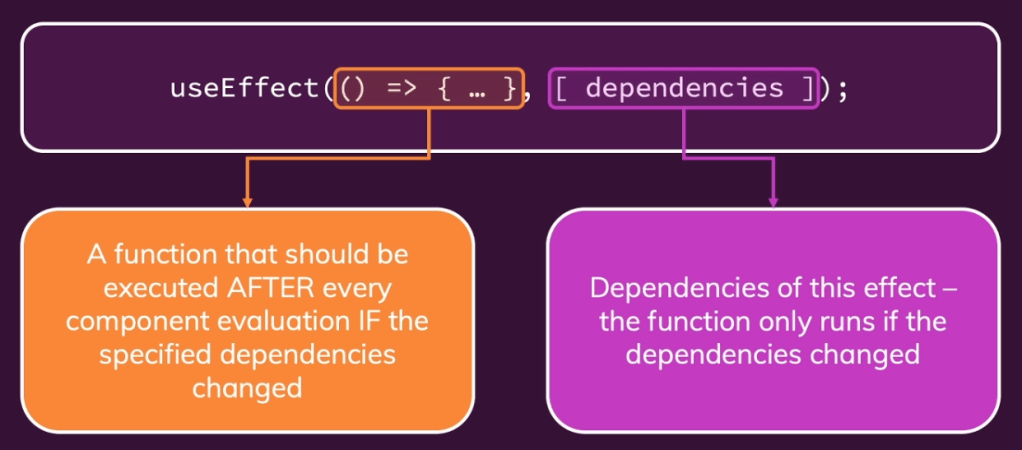
useEffect()
When dependencies is an empty array, would run only on first evaluation
Can be applied to actions that are executed in response to some other actions
Cleanup function in useEffect() – Run before each side effect function except for the first time
// No dependency -runs every time after a state update / component rendering including first rendering
useEffect(() => {
    const isLoggedIn = localStorage.getItem("isLoggedIn");
    if (isLoggedIn === "1") setIsLoggedIn(true);
 });


// An empty array as dependency -runs on first component rendering
useEffect(() => {
    const isLoggedIn = localStorage.getItem("isLoggedIn");
    if (isLoggedIn === "1") setIsLoggedIn(true);
}, []);

// Cleanup function
useEffect(() => {
    const isLoggedIn = localStorage.getItem("isLoggedIn");
    if (isLoggedIn === "1") setIsLoggedIn(true);

  return () => {};
}, [enteredPassword]);
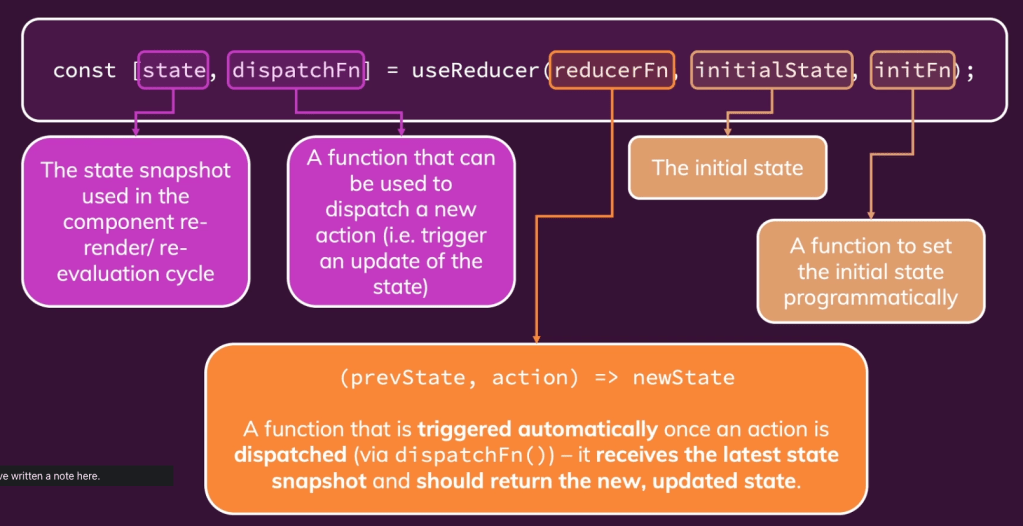
userReducer() for State Management
Multiple states, multiple ways of changing it or dependencies to other states
Context API
Avoid redundant function passing for state sharing – prop chain
Component-wide, “behind-the-scences” State Storage
Steps to implement:
Create a Context – React.createContext()
Wrap the scope where the Context is need – <Context.Provider></Context.Provider>
Access/Listen Context
Consumer –
Hook
Limitations
Props for configuration, Context for state management across components (prevent long prop chain)
Not optimised for high frequency changes -> Redux
“Rules of Hooks”
Only call in React Functions
Component Functions, which returns JSX
Custom Hooks
Only call at the Top Level
Don’t call in nested functions
Don’t call in any block statement – condition or loop
Always add everything you refer to inside of useEffect() as a dependency
“Forward Refs”
useImperativeHandle() & React.forwardRef()
expose function in child component to parent component, use ref and function in child component in parent component
Section 12: How React Works
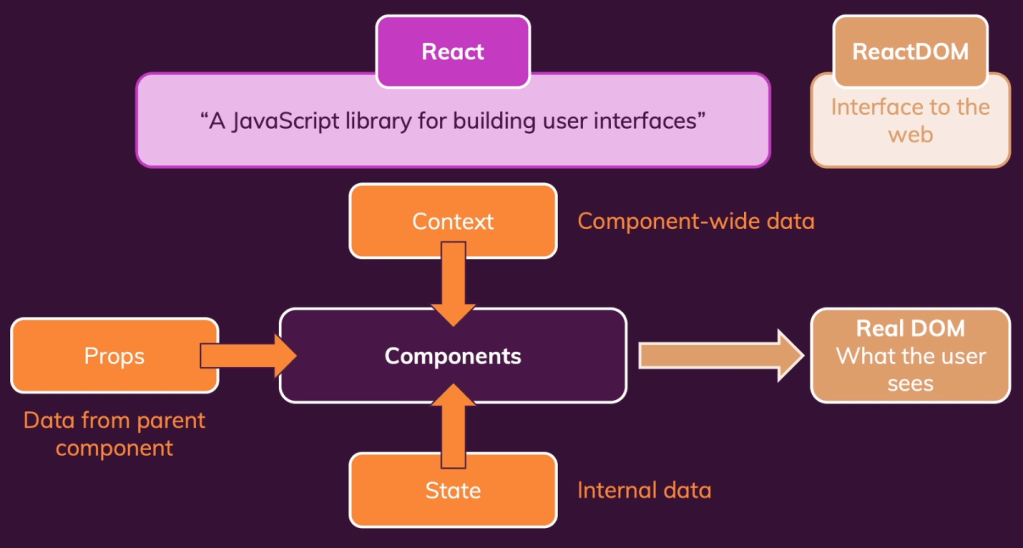
How does React work?
React – determines how the component tree currently looks like and what it should look like
ReactDOM – receives the differences and then manipulates the real DOM
Re-evaluating components !== re-rendering DOM
Components
re-evaluated whenever props, state or context changes
Real DOM
Only when there are differences between evaluations
React.memo()
Background – if a component is re-evaluated, all of its child components will also be re-evaluated.
Prevent unnecessary re-evaluations – check the changes in the props of component
At a cost, maintain a copy of props state and comparison
Chose wisely the appropriate component to use this function
Hook useMemo()
Stores data, while React.memo() stores function
Suitable for performance-intensive calculations
Hook useCallback()
Store a function across component executions
Otherwise the functions will be recreated each time the component is re-evaluated, which causes passing function props not working with React.memo()
Recreate the function when the dependency changed (?)
State Batching
when multiple states modified together, without time delay between modifications, React would batch them together and re-evaluate the component for once
Section 14: Class-based Components
Functional Components
Regular JS functions returns renderable result (JSX)
Class-based Components
JS classes, to-be-rendered output is defined in render() method
Prior to React < 16.8, Class-based components are mandatory to manage “State”
Can’t use React Hooks!
import { Component } from "react";

import classes from "./User.module.css";

class User extends Component {
  render() {
    return <li className={classes.user}>{this.props.name}</li>;
  }
}

// const User = (props) => {
//   return <li className={classes.user}>{props.name}</li>;;
// };

export default User;
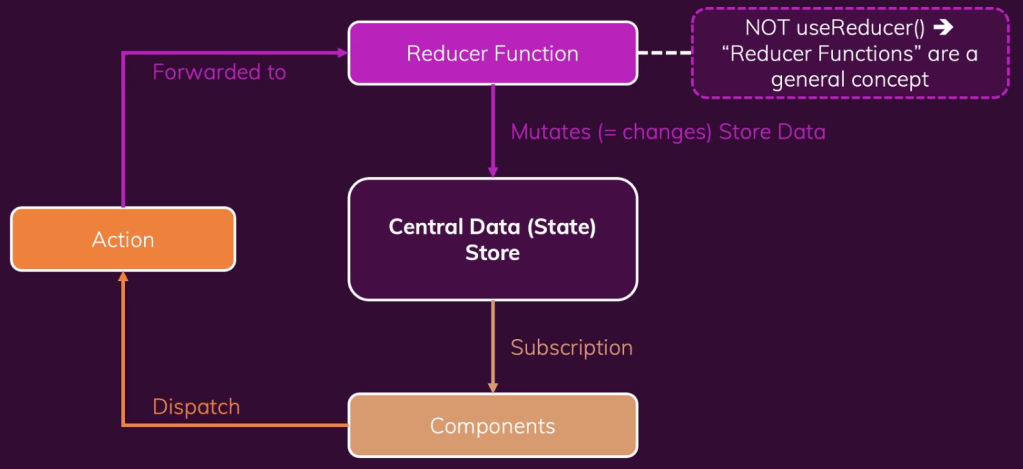
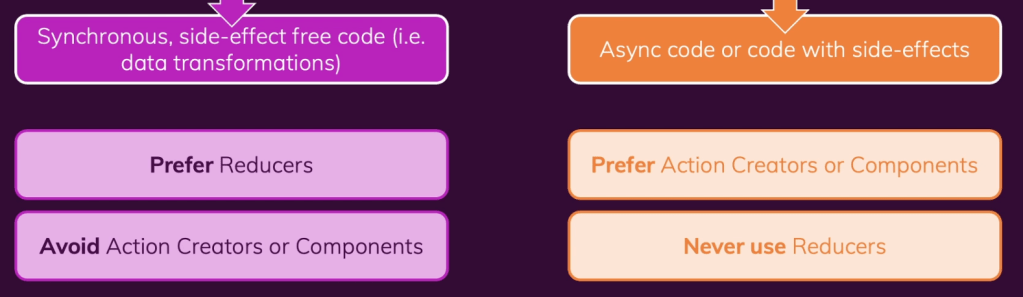
Reducers must be pure, side-effect free, synchronous functions
Where to put side-effects and async tasks?
Inside the components – useEffect()
Inside the action creators
Where to put logic code? – Fat Reducer, Fat Component or Fat Actions
Method “PUT” – overwrite data
What is a “Thunk”?
A function that delays an action until later -> An action creator function that does NOT return the action itself but another function which eventually returns the action
Section 20: Multi-Page SPA with React Router
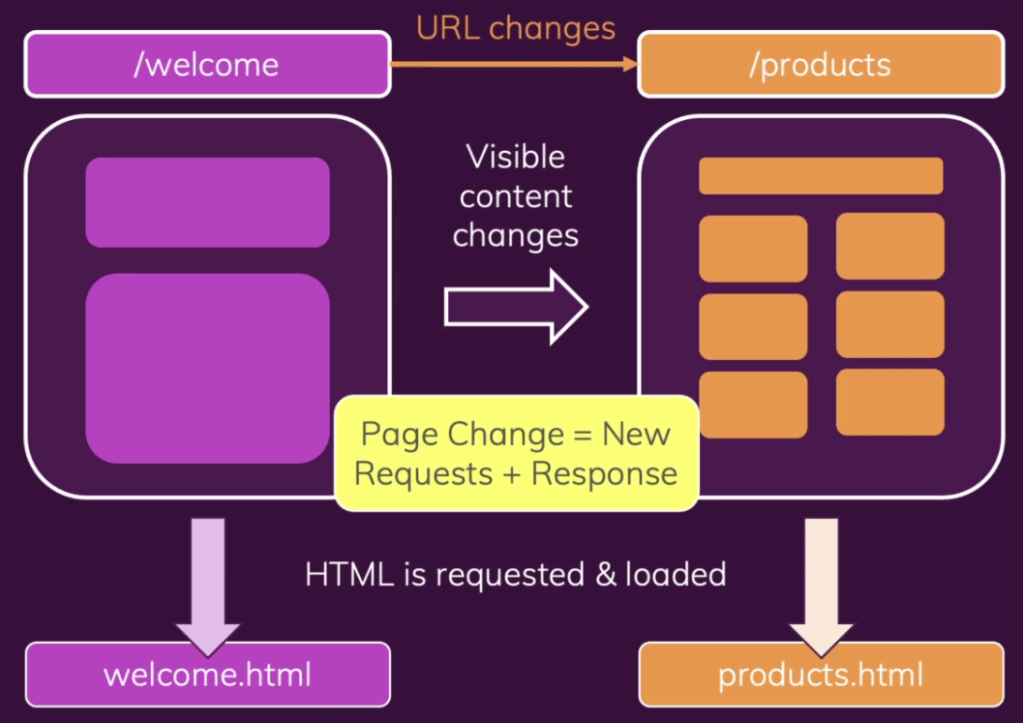
What is Routing? – Traditional method
Routing in SPA
Page (URL) changes are handled by client-side (React) code
Changes the visible content without fetching a new HTML file
// index.js
import ReactDOM from "react-dom";
import { BrowserRouter } from "react-router-dom";

import "./index.css";
import App from "./App";

ReactDOM.render(
  <BrowserRouter>
    <App />
  </BrowserRouter>,
  document.getElementById("root")
);


// App.js
import { Route } from "react-router-dom";
import Welcome from "./components/Welcome";
import Products from "./components/Products";

function App() {
  return (
    <div>
      <Route path="/welcome">
        <Welcome />
      </Route>
      <Route path="/products">
        <Products />
      </Route>
    </div>
  );
}

export default App;
 Yujin's Amusement Park