- browser viewport
const vw = Math.max(document.documentElement.clientWidth || 0, window.innerWidth || 0)
const vh = Math.max(document.documentElement.clientHeight || 0, window.innerHeight || 0)

PS: innerHeight & innerWidth include scrollbars, clientHeight and clientWidth do not.
https://stackoverflow.com/questions/1248081/how-to-get-the-browser-viewport-dimensions
- An element
- element.offsetWidth & element.offsetHeight (include the border)
- element.clientWidth & element.clientHeight (exclude the border)
- Get margin or border of an element:
let style = getComputedStyle(box);

let marginLeft = parseInt(style.marginLeft);
let marginRight = parseInt(style.marginRight);
let marginTop = parseInt(style.marginTop);
let marginBottom = parseInt(style.marginBottom);

let borderTopWidth = parseInt(style.borderTopWidth) || 0;
let borderLeftWidth = parseInt(style.borderLeftWidth) || 0;
let borderBottomWidth = parseInt(style.borderBottomWidth) || 0;
let borderRightWidth = parseInt(style.borderRightWidth) || 0;- Element position relative to browser viewport
var viewportOffset = el.getBoundingClientRect();
// these are relative to the viewport, i.e. the window
var top = viewportOffset.top;
var left = viewportOffset.left;
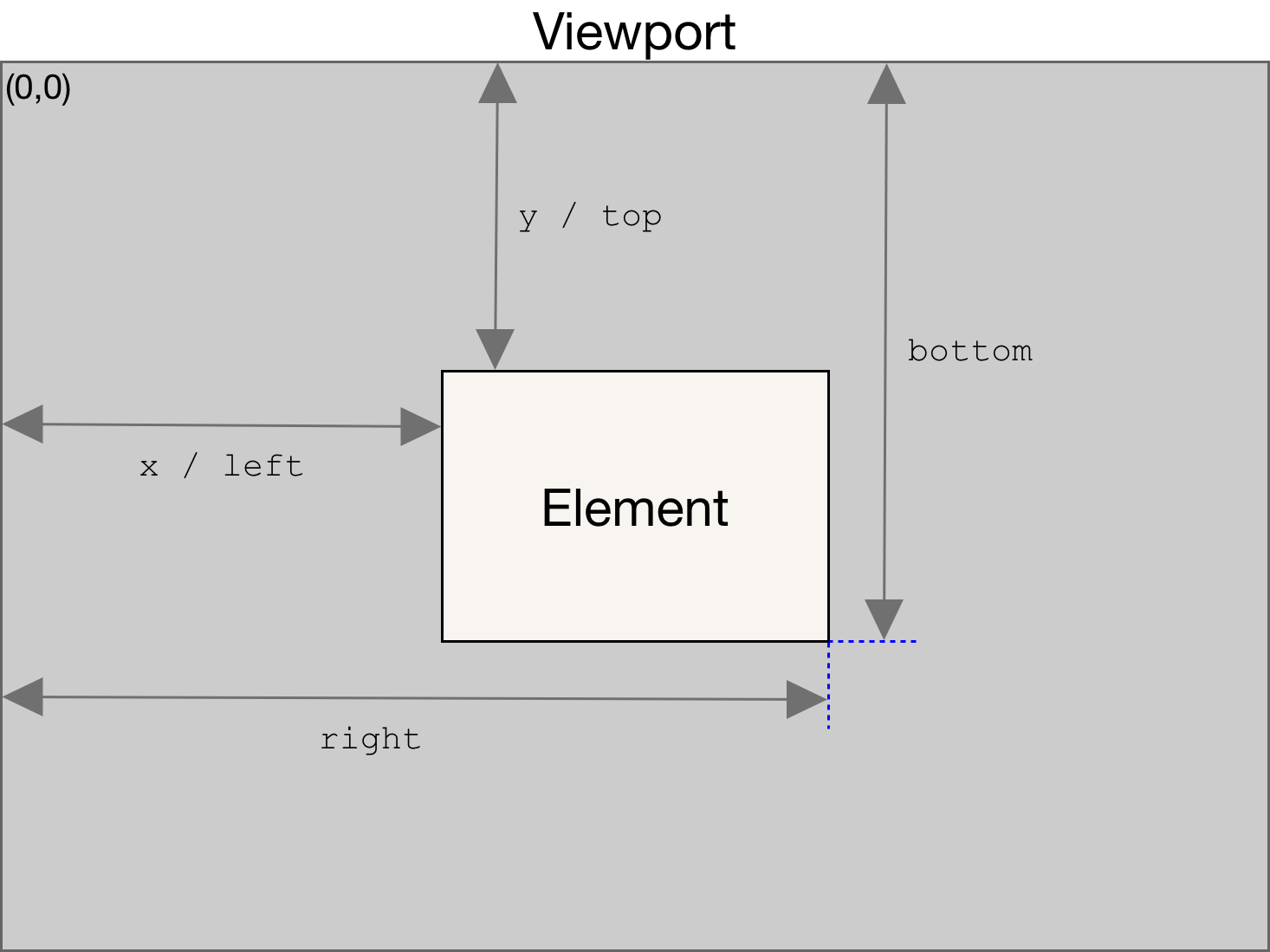
img src: https://developer.mozilla.org/en-US/docs/Web/API/Element/getBoundingClientRect
 Yujin's Amusement Park